This setup combined a Google Voice number and voicemail, a carrier number and voicemail, and TrapCall on the same phone.
- Rejected calls to the carrier line were forwarded to TrapCall.
- Unanswered Google Voice calls continued to Google voicemail.
- Unanswered carrier calls continued to carrier voicemail.
- Google Voice remained the number used for calls that should not enter the TrapCall forwarding path.
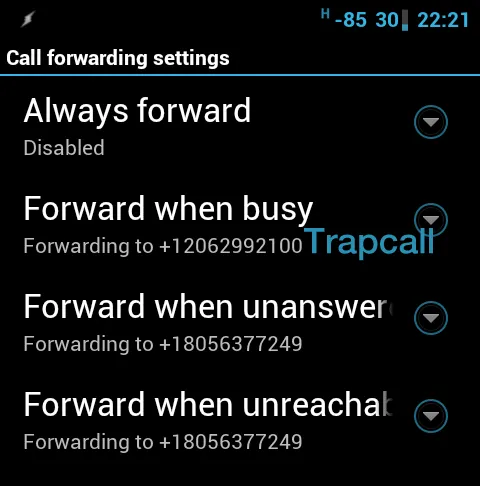
Configure conditional forwarding
- In the phone dialer, enter
##004#to clear existing conditional call-forwarding settings. - Set forward when busy to the TrapCall access number by dialing
*67*12062992100#. - Leave the other conditional forwarding routes at their normal carrier defaults.
Additional options
- On a rooted phone, a call-blocking application can reject private or withheld numbers so that the forwarding rule handles them without ringing the phone first.
- On an unrooted phone, TrapCall’s application may be able to automate rejection of unknown calls, depending on the Android and application versions.
- The call-forwarding keypad-code reference explains the structure of common forwarding commands.